Edit PDF text
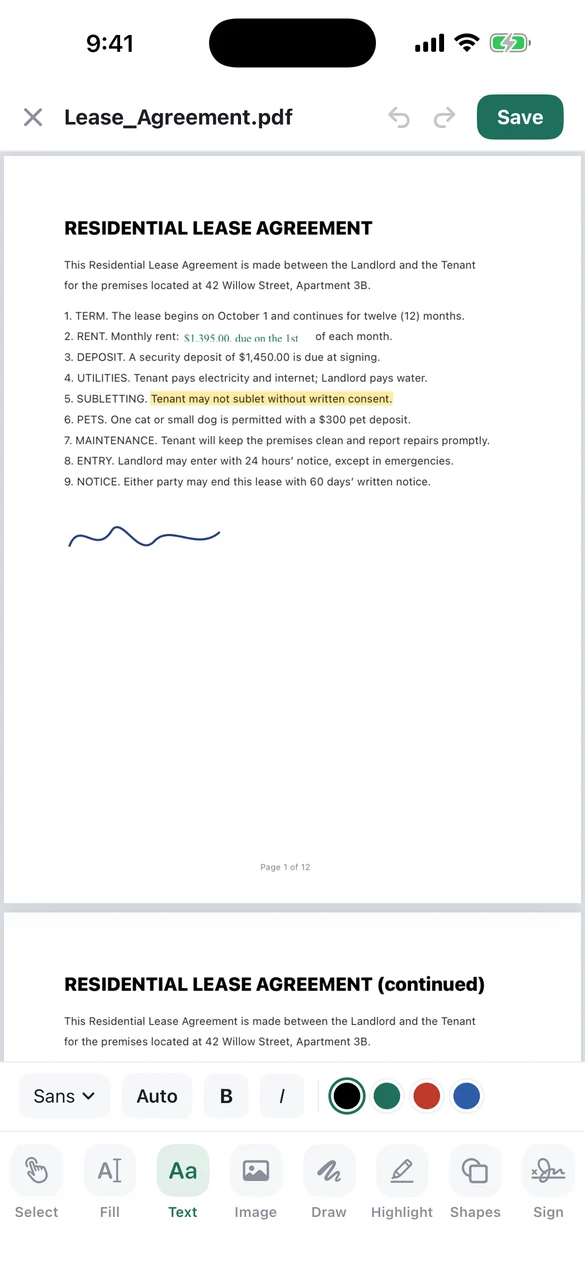
Tap any line to change it, even on scanned pages. Add text boxes, images, drawings, highlights and shapes.
More & Better for less. Privacy comes first!
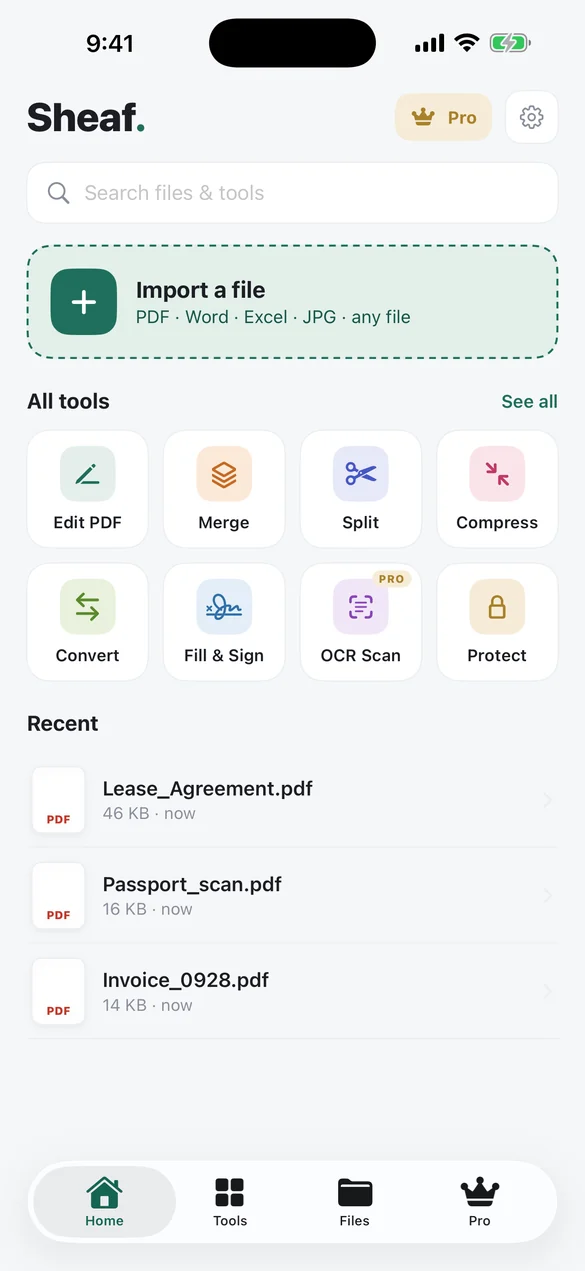
Edit PDF text, merge, split, compress, sign and convert any file to PDF, all on your iPhone. No uploads, no account, no hourly limits. It even works in airplane mode.
Free to use: 3 files a day with a short ad, no watermarks. Or $0.99 per file, or go Pro.
Leases, pay slips, medical forms and IDs are exactly the files you shouldn’t send to a stranger’s server. Sheaf does every job on your iPhone’s own chip, so your documents stay with you.
Nothing is uploadedEditing, converting, OCR and compression all run on the device.
Works offlineOn a plane, in a basement, or with Wi-Fi off.
No account, no limitsNo sign-up, no page caps, no “come back in an hour”.
Simple enough that you don’t need a tutorial, like a word processor on your phone.
Tap any line to change it, even on scanned pages. Add text boxes, images, drawings, highlights and shapes.
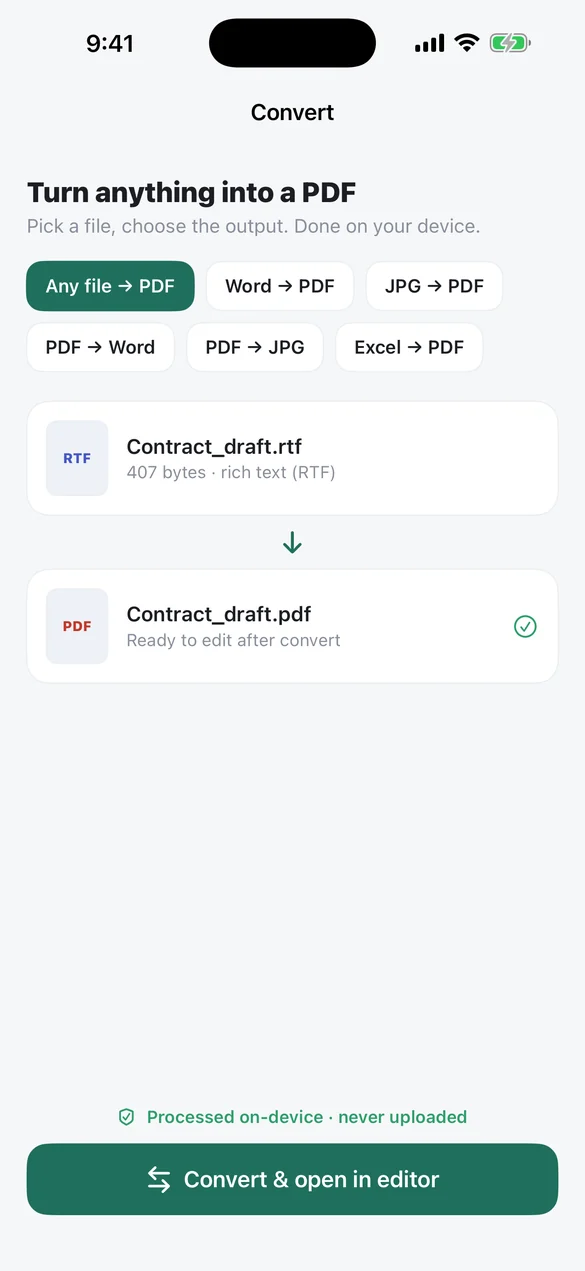
Word, Excel, PowerPoint, Pages, photos and text files become PDFs. You can also turn a PDF into Word or JPG.
Combine files into one and drag them into the right order.
Pull out pages or ranges, and reorder, rotate or delete pages.
Shrink big scans so they fit in an email.
Fill in forms and draw your signature with a finger.
Make scanned documents searchable and copyable.
Remove names, account numbers, emails and phone numbers from the file for good.
Add or remove passwords, add watermarks and page numbers, and batch-process files.
Import a fileFrom Files, iCloud Drive, email or Photos: a PDF, Word, Excel, JPG or almost anything else.
Pick a toolEdit, merge, convert, sign or compress. You can preview the result as often as you like, free.
Save or shareSave to Files or send it anywhere. The file never touched a server.
No subscription needed. Save 3 files a day by watching one short ad each, or pay $0.99 for any file. Use a lot of PDFs? Pro removes ads, fees and size limits.
Open the PDF in Sheaf, choose Edit PDF, and tap any line of text to change it. You can also add text, images, drawings, highlights, shapes and your signature, then save.
No. Every tool runs on your iPhone. Files are never uploaded, and the app works offline.
Yes. All basic tools are free to use and preview. You can save 3 files a day for free by watching one short ad each, on files up to 15 pages or 10 MB. After that it’s $0.99 per file, or Pro removes ads and limits. Free files are never watermarked.
Yes. Import Word, Excel, PowerPoint, Pages, text or image files and Sheaf converts them to PDF on your device, ready to edit.
Choose Merge, add two or more PDFs, drag them into order and tap Merge. It happens on your iPhone in seconds.
Yes, with Redact (Pro). It removes the marked content from the file itself, not just hides it, and strips document metadata. Editing text only changes what’s shown on the page, so use Redact for anything confidential.
More & Better for less. Privacy comes first!
Private, offline and free to start.
Download on the App Store